Getting started
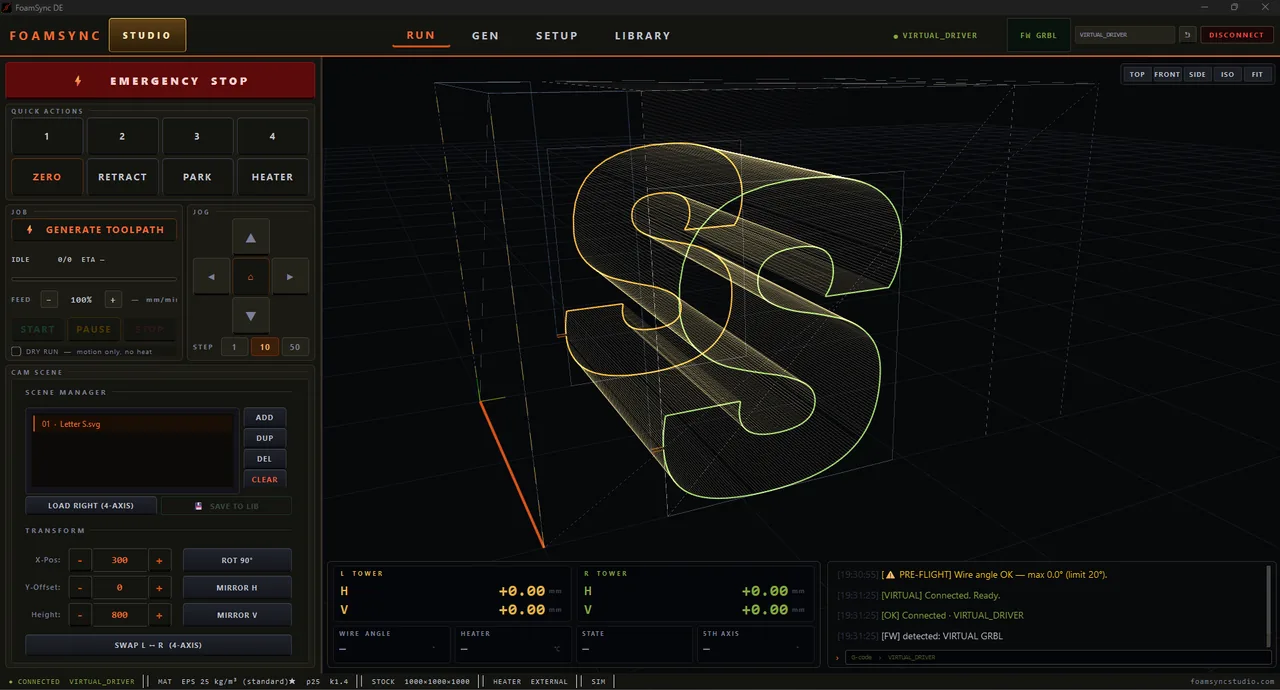
FoamSync is CAM software for 4-axis hot-wire CNC foam cutters (with optional 5th rotary-axis support). You make a part three ways — a parametric generator, the freehand Grid Sketch editor, or an SVG / DXF import — FoamSync computes the four-axis wire toolpath, and your machine cuts the foam. It drives Marlin, GRBL and GRBL-H-Par firmware out of the box.
System requirements
- Windows 10 or 11, 64-bit.
- A free USB port for your controller (or network, depending on firmware).
- ~250 MB disk space. No admin rights needed to run after install.
- A 4-axis hot-wire machine (two towers, each with a horizontal + vertical axis). 2-axis machines run in a reduced mode; an optional 5th rotary axis is supported for turning / indexing setups.
Installing
- Download the signed installer from the download page.
- (Optional but recommended) verify the file’s SHA-256 against the value published on the download page before running it.
- Run the installer and follow the prompts. On first launch you accept the EULA + liability waiver — required once.
The 7-day trial
Every fresh install starts in a 7-day DEMO. The trial:
- Previews every feature — all generators and packs are unlocked so you can evaluate the full product.
- Is virtual-only — connecting to real hardware is disabled during the trial.
- Watermarks output — generated G-code carries a
TRIALwatermark until you activate a paid licence.
When the 7 days end, FoamSync drops to a read-only state: you can still open and review past projects, but generating new geometry and connecting hardware are disabled until you activate. Activate any paid tier to remove the trial limits.
Activating
Open the activation dialog (it appears on launch until you’re licensed, or click the licence banner any time). Your Machine ID is shown at the top with a COPY button — this 16-character code identifies this machine for licensing.
There are two ways to activate:
Online (recommended)
Paste your licence key and press ACTIVATE. FoamSync contacts the licence server, binds the licence to this machine, and saves it. Requires an internet connection at activation time.
Offline — a signed .dat file
For air-gapped industrial machines that can’t reach the licence server, your distributor builds a hardware-bound .dat file against your Machine ID:
- Copy your Machine ID (or run the standalone Machine ID tool from the download page).
- Send it to your distributor with your key.
- You receive a
.datfile. Press DROP LICENCE FILE, pick it, and FoamSync accepts it after verifying its cryptographic signature.
If you ever see a “licence file retired” notice on launch, the previous
license.datfailed verification (corrupt or moved between machines) and was set aside aslicense.dat.obsolete. Re-activate by either method above — nothing is lost.
What’s next
- Connect your machine and confirm the link.
- Run Quick Lab calibration before the first real cut.
- Learn the generators and what each pack unlocks — including the freehand Grid Sketch and its saved-shape library.
- Take parts into CAM & nesting, then run the cut.